
Management / 07 OF 08
Know which stock to pull.
Bring the saved requirements from multiple jobs into one stock list. See the material committed to released work and the additional demand from upcoming orders.
WORKSPACE VIEW1 SCREEN
Materials window · fictional shop dataFIG. 01
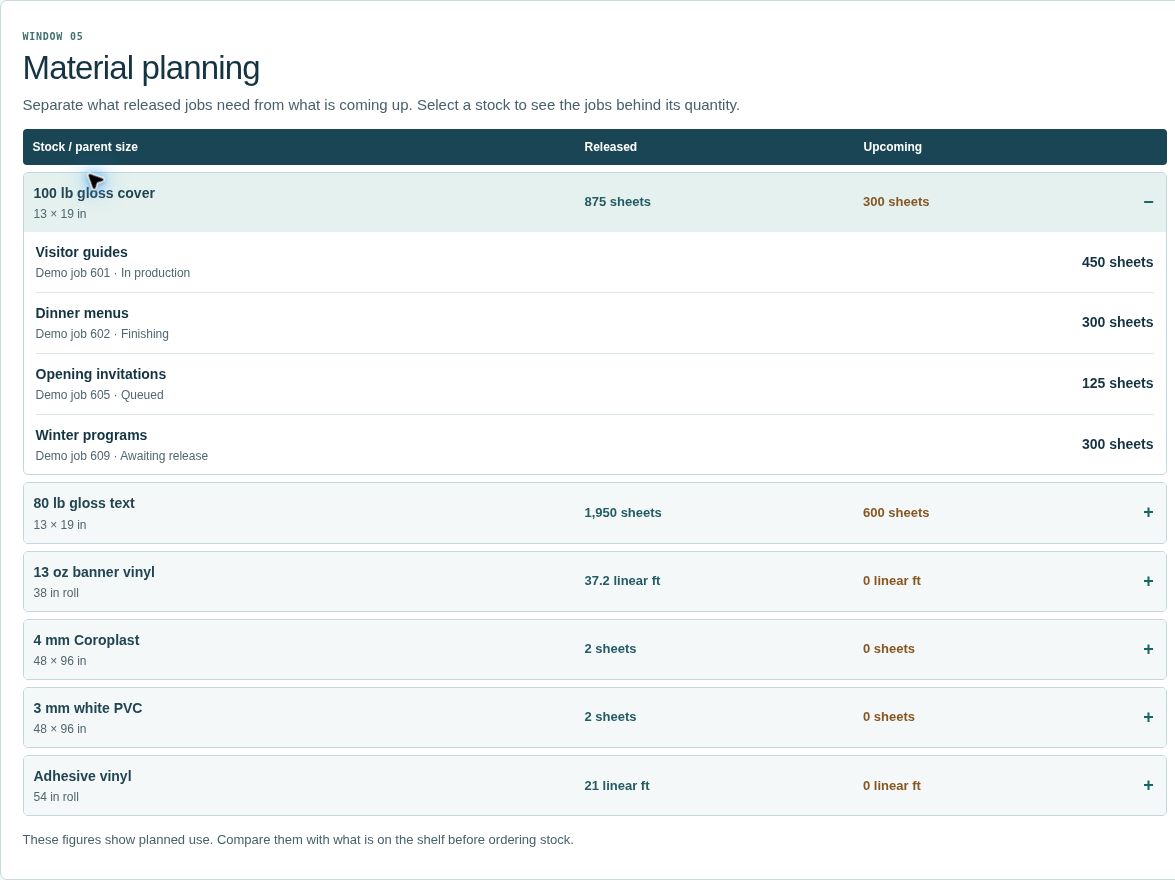
Released jobs at Juniper Print Co. need 875 sheets of 100 lb gloss cover. An upcoming program will need another 300. The owner can open the stock row to see which jobs make up each quantity.
Enlarge image ↗IN THE SHOP
How the team uses it.
- 01
Set the dates
Look at all open work, what is due by Friday, or a custom range.
- 02
Choose the material
Filter for paper, vinyl, rigid stock, lamination, grommets or packaging.
- 03
Compare with the shelf
These are gross job requirements. Compare them with stock on hand before placing a purchase order.
EARLY ACCESS