
Shop floor / 04 OF 08
See where each department stands.
A supervisor can look across the floor, choose a department and see the queue in priority order. Operators open the job from the board when they need the instructions.
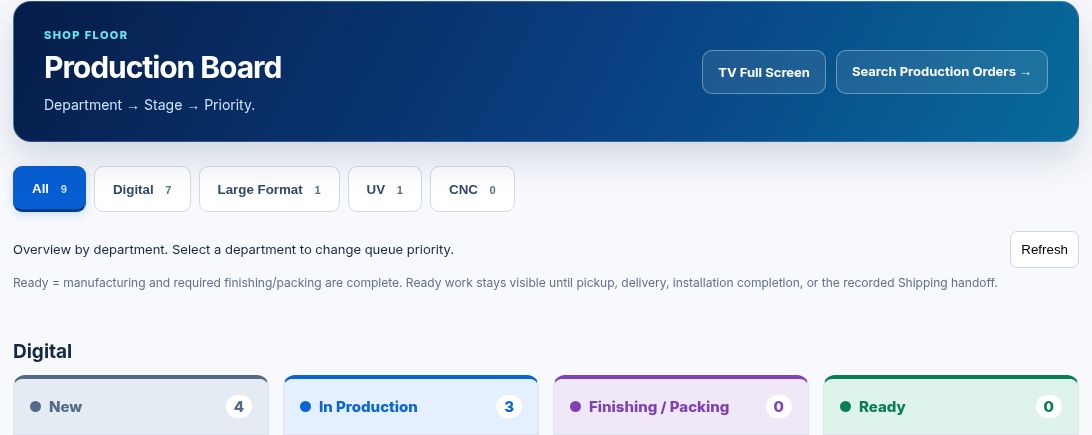
In this capture, Digital has seven jobs. Four are new and three are in production. The same board has filters for Large Format and UV, plus a full-screen view for a shop display.
Enlarge image ↗EXAMPLE JOBS
A shift on the floor.
Four illustrative job cards show how work in different stages reads at a glance.
Visitor guides
450 booklets · 8.5 × 11 in
Saddle stitchSpring market banners
6 banners · 72 × 36 in
Hem & grommetsOpen house signs
12 signs · 24 × 18 in
Straight cutCounter cards
250 cards · 5 × 7 in
Customer pickupIN THE SHOP
How the team uses it.
- 01
Choose a department
Start with the whole floor or focus on one department to see its queue.
- 02
Open the instructions
A job card carries its priority, due date and a link to the Production Order.
- 03
See the next handoff
Follow the item through manufacturing, finishing or packing, and readiness for fulfillment.
EARLY ACCESS